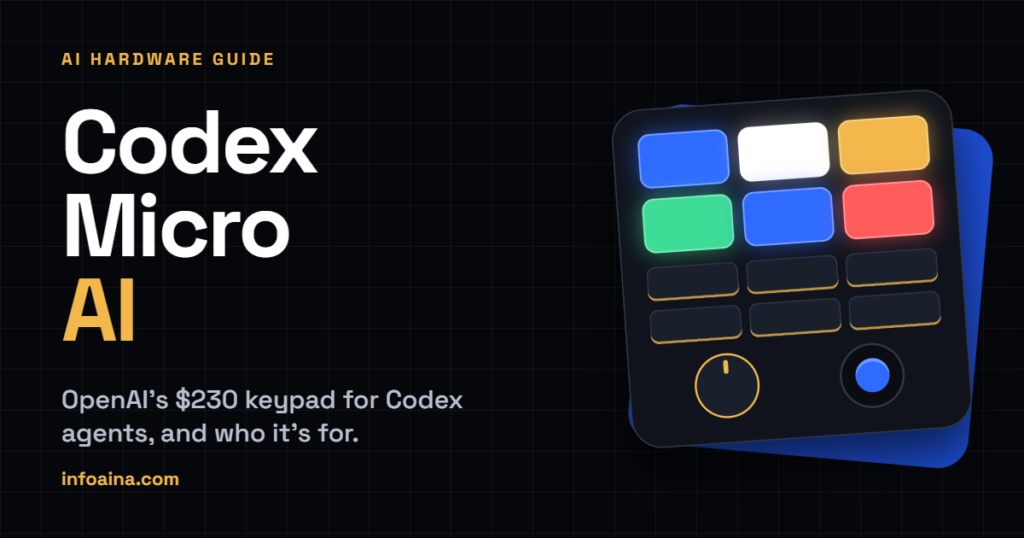
Codex Micro isn’t an AI model, whatever the “Codex Micro AI” searches suggest. It’s a $230 keypad, OpenAI’s first branded hardware, built with the keyboard maker Work Louder to monitor and control Codex from your desk. It has no screen and no microphone, and there’s no model running inside it.
OpenAI opened orders on July 15, 2026 as a limited run. As of mid-October, Work Louder’s product page lists it as sold out.
Table of Contents
What is Codex Micro AI?
Codex is OpenAI’s coding agent. It started as a command-line tool in April 2025 and has since spread into a desktop app, a cloud version and IDE extensions. The more you lean on it, the more likely you are to have several jobs going at once: one agent fixing tests, another reviewing a pull request, a third waiting for you to approve something.
Codex Micro is built for that mess. OpenAI spokesperson Dominik Kundel pitched it at the AI Engineer World’s Fair as a keyboard “designed to supercharge people’s Codex usage”. Plainly put, it’s a small controller that shows what your agents are up to and gives you physical buttons for the things you do all day.
It was made with Work Louder, a small specialty maker of customizable mechanical keyboards and shortcut pads, and sold through OpenAI Supply Co. If the design looks familiar, that’s because Work Louder already sold something close to it. Ars Technica made the same point at launch. That earlier product is the Creator Micro line, which comes up again below.
Two things it isn’t.
It isn’t the long-rumored consumer device tied to Jony Ive. And it isn’t standalone, since its Codex features run through the ChatGPT desktop app, where Codex now sits alongside ChatGPT itself. Axios reported in July, citing Bloomberg’s sources, that OpenAI would unveil a speaker this year for release in 2027. Different product, different audience.
What’s on the device
On paper, going by Work Louder’s spec sheet and OpenAI’s setup docs:
- Controls: 13 mechanical switches, one touch sensor, one rotary dial and one analog joystick
- Layout: six frosted Agent Keys on top, six Command Keys below (the wide Mic key sits over two switches)
- Connection: USB-C, or Bluetooth with three pairing channels
- Works with: Mac and Windows
- Build: CNC-machined polycarbonate and aluminum, a milled aluminum base with an anti-slip ring, RGB lighting that glows through the frame
- Switches: clicky or silent versions at launch, according to YourStory
- In the box: the device, a USB-C cable and 32 swappable icon keycaps
There’s no microphone and no display. Battery capacity, dimensions and weight weren’t published on the Codex-specific pages during launch week either, as RohitAI pointed out.
How the Agent Keys work
The six frosted keys on top are the reason this thing exists. Each one follows a chat and lights up to show what that chat is doing.
| Light | What it means |
|---|---|
| White | Idle |
| Blue | Codex is working |
| Green | Finished, with an update you haven’t read |
| Amber | Waiting for your approval or an answer |
| Red | Something went wrong |
| Off | No chat assigned to that key |
By default the keys follow your six most recently updated chats. You can switch them to your first six pinned chats, or to a priority mode that floats up chats waiting on you, then unread ones, then active ones. Or assign every key by hand, to a chat, a shortcut or a skill.
Press a key once and ChatGPT jumps to that chat without dragging its window to the front, which helps when you’re mid-sentence in another app. Press twice within 350 milliseconds and the window comes forward too. A setting lets a single tap do both.
Think of it as peripheral vision for your agents. An amber key means something is stuck until you notice, and a glance at the desk beats alt-tabbing to check. If you only ever run one chat at a time, though, the sidebar already tells you the same thing and the keys add little.
Command keys, joystick and dial
Below the Agent Keys sit six Command Keys. Out of the box they turn Fast mode on and off, approve, decline, continue the current chat in a new one, start push-to-talk and send your message. Everything can be remapped in ChatGPT’s settings, and the spare icon keycaps let you relabel the caps to match.
Push-to-talk trips people up because the device has no microphone. It borrows your computer’s. Hold the key while you speak and let go to stop, or double-press within 350 milliseconds to keep recording hands-free. A sea-green light moves around the keyboard while it records.
The joystick reads four directions. By default, up toggles Plan mode, down shows or hides the sidebar, and left and right step back and forward through app history. Any direction can be reassigned to a ChatGPT desktop command or an enabled skill, which is why Work Louder pitches the stick as a way to launch a favorite skill with one flick.
The dial starts in composer navigation. Turn it to move through the controls under the prompt box, press to select one. Other modes cover reasoning effort only, scrolling the conversation, or fully custom actions. Reasoning effort on a dial is probably the most sensible mapping on the whole device, since it’s the setting people forget to change. Press and hold the dial and the device settings open, except in custom mode, where a long press runs whatever you assigned.
ChatGPT owns layer 1. To make the Micro do things in other apps, Work Louder Input can set up to five more layers. You don’t need Input for the ChatGPT side.
How to set up Codex Micro
Setup lives mostly inside ChatGPT.
- Open the ChatGPT desktop app and press the rear button once to switch the Micro on.
- Plug in a USB-C cable or pair over Bluetooth (details below). ChatGPT should detect the device and walk you through setup.
- On a Mac, allow Input Monitoring when prompted. Without it, ChatGPT can’t see your key presses.
- Open Settings > Codex Micro. Choose what the Agent Keys follow, remap the Command Keys, stick and dial, and adjust lighting and voice. Pressing and holding the dial opens the same page.
- Swap the physical keycaps to match anything you remapped.
For Bluetooth, hold the touch control on the bottom-left edge for about three seconds, until the lighting turns blue. Tap it to pick channel 1, 2 or 3. When that channel’s light flashes fast, connect from your computer’s Bluetooth settings and wait for the light to go solid. One gotcha from OpenAI’s docs. Plugging in USB-C while the Micro is in Bluetooth mode only charges it. To go wired, tap the touch control until the lighting turns white.
If it connects and then misbehaves, look at your keyboard utilities. Work Louder says Karabiner and Logitech Options+ can interfere on macOS when they hold Input Monitoring permission, so quit them, reconnect and test again. Also, the lights switch off after three minutes by default. A dark pad isn’t necessarily a dead one.
Codex Micro price and availability
OpenAI listed Codex Micro at $230 at launch, Axios reported. Shipping, duties and taxes come on top, per RohitAI’s reading of the listing, which matters if you’re ordering from outside the US.
Stock is the bigger problem. OpenAI called it a limited run from the start, and RohitAI reported the official listing already showed out of stock by July 16. Work Louder’s page now says sold out and points shoppers to the Creator Micro 2 instead. Nothing on either company’s pages promises a restock. OpenAI’s docs say to check OpenAI Supply Co for availability, so that’s where a new batch would show up first.
Two cautions. If you spot one on a resale site, check the seller and the price carefully, since limited-run gadgets attract markups. And hardware support runs through Work Louder rather than OpenAI. For Bluetooth, cable or power trouble, OpenAI’s docs send you to Work Louder’s setup guide and a support email.
Codex Micro vs Creator Micro 2 and other pads
Work Louder’s Creator Micro 2 is the closest relative, and unlike the Codex edition, Work Louder lists it as in stock. It comes as a wired Base model or a Pro with Bluetooth, an aluminum frame and a 2,100 mAh battery. OpenAI’s docs say the ChatGPT desktop app supports it, and Work Louder’s page advertises an agent mode with the same five status states. Launch-week coverage cited prices between roughly $174 and $199, so check the live page before you budget.
What you’d give up looks mostly cosmetic. The Codex edition ships with the icon keyset and frosted agent keys. The Creator Micro 2 page lists mostly plain black keycaps, with a frosted body and icon sets sold separately. Neither company publishes a feature-by-feature comparison, so confirm exactly what works on the Creator Micro 2 before ordering.
General-purpose pads are the other route. RohitAI’s launch-week comparison listed Elgato’s Stream Deck+ at $199.99 and Keychron’s Q0 Max numpad from $119.99. You get screens or a bigger plugin library, but no documented Codex status feed. If all you want is shortcuts, they do that job fine.
Is Codex Micro worth $230?
It comes down to how many agents you run at once.
Reviews split along that line. TechCrunch’s Lucas Ropek got a test unit and found it solidly built (the white-box packaging, he noted, looks a lot like Apple’s), with a real learning curve and a fun side once he’d programmed it. Assigning chats to keys and dictating made hopping between projects quicker, he wrote. He admitted he doesn’t use AI much day to day, so he isn’t the target buyer, and his closing recommendation was lukewarm. A ChatGPT power user with $230 to spare could do worse. Elsewhere, TechCrunch noted, Reddit reaction skewed negative, and the independent outlet Aftermath argued the price is hard to justify next to cheaper DIY and off-the-shelf options.
What does the extra money buy? A Codex-branded version of hardware Work Louder already sells, with the icon keyset thrown in and the closest hookup to the app. RohitAI’s launch-week math put the premium at $56 over the Creator Micro 2 Pro, about 32 percent. OpenAI’s docs now list the Creator Micro 2 as supported too, so that premium may buy less than it first appeared to.
One thing to think through before buying any of these is the Approve key. The device has no screen, so you’d be approving by color and muscle memory, which is how a bad command slips through. If you catch yourself mashing it, remap that key to review changes instead. ChatGPT’s settings allow that.
My take: if the colored status keys would change how you work, the money makes sense. If the dial and joystick are what caught your eye, a cheaper pad covers that part. And with the Codex edition sold out, the practical move for most people is the Creator Micro 2, if they want hardware at all. For everyone else, $230 is a nice-looking way to solve a problem you don’t have.
Frequently asked questions
What is Codex Micro?
A $230, limited-run mechanical keypad from OpenAI and Work Louder that controls Codex in the ChatGPT desktop app. Six keys show live chat status, and the rest handle approvals, voice, shortcuts and settings.
Is Codex Micro an AI model?
No. It has no screen, no microphone and no model inside. The work happens in the ChatGPT desktop app on your computer, and the Micro is the controller.
How much does Codex Micro cost?
$230 at launch, before shipping, duties and taxes.
Is Codex Micro sold out?
Work Louder’s product page lists it as sold out as of mid-October 2026. It was a limited run, and neither OpenAI nor Work Louder has promised a restock. The Creator Micro 2 is the in-stock option that the ChatGPT app supports.
Does Codex Micro work on Windows?
Yes. Work Louder lists Mac and Windows. Linux isn’t listed.
Does Codex Micro have a microphone?
No. Push-to-talk uses your computer’s microphone.
Can I use Codex Micro with other apps?
Yes. ChatGPT controls layer 1, and Work Louder’s Input software can set up to five more layers for other apps.
Does Codex Micro work with the Codex CLI or the IDE extension?
The documented route is the ChatGPT desktop app. Official pages don’t clearly promise support for the CLI, the IDE extension or the API, so assume desktop app only until OpenAI says otherwise.
Is Codex Micro the Jony Ive device?
No. Codex Micro is a Work Louder collaboration. OpenAI’s broader consumer hardware plans, which Axios said in July include a speaker due in 2027, are a separate project.
check out some more article : InfoAina