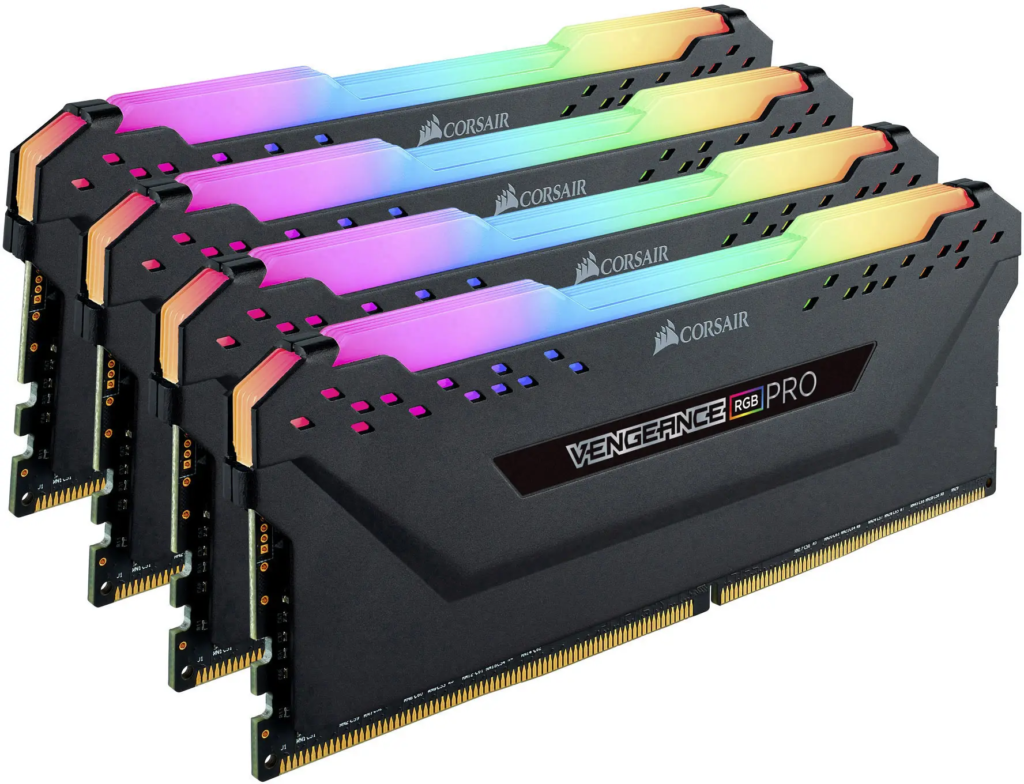
A 32GB DDR4 kit that ran $60 to $90 in October 2025 is going for well over double that now. Nothing changed about DDR4 itself. It’s caught in the blast radius of the AI industry’s appetite for memory chips, the same shortage that’s made DDR5 and even SSDs more expensive this year.
If you already own a DDR4 system, or you’re pricing out a budget build, here’s the actual state of things: what a kit costs right now, what still supports it, what 32GB DDR4 RAM is genuinely good for, and — since AI hardware is usually what gets covered around here — whether 32GB of ordinary system RAM gets you anywhere with local models.
Table of Contents
What a 32GB DDR4 Kit Actually Costs Right Now
Pin an exact number down and it’ll probably be stale within a month. But as of mid-September 2026, a real 32GB DDR4 kit from a mainstream brand runs somewhere in the $190 to $260 range, and live price-tracking sites put the broader DDR4 average even higher, close to $250 for that capacity. A year earlier, in October 2025, the same kit was going for $60 to $90.
A few concrete examples from a recent Tom’s Hardware kit roundup: Crucial’s 32GB (2x16GB) DDR4-3200 kit at $187 on Newegg, Silicon Power’s plain 32GB DDR4-3200 at $227, and the RGB version of the same kit at $242. None of those are premium enthusiast parts. They’re the ordinary, reliable stuff, and they still cost two to three times what they did a year ago.
DDR5 has moved even further. A 32GB DDR5-6000 kit was tracked at roughly $392 in August 2026, and some trackers have shown that same tier well past $400 since. So DDR4 is still the cheaper option. But “cheaper” doesn’t mean cheap anymore, and the gap between the two has been shrinking as DDR4 gets pulled into the same shortage.
None of this is about DDR4 getting worse or better with age. Samsung, SK Hynix, and Micron all issued end-of-life notices for DDR4 back in 2025, ordinary housekeeping for a standard that’s been around since 2014 and was always going to get phased out eventually. Then AI data centers started pulling DRAM wafer capacity toward DDR5 and HBM chips, supply for everything else tightened, and DDR4 modules briefly cost more than the DDR5 they were supposed to be replaced by. Samsung and SK Hynix ended up pushing their DDR4 phase-outs back into 2026 because the aging standard had turned into an unexpected cash cow, and Micron restarted some DDR4 output at its Virginia fab for the same reason. DDR4 hasn’t been fully discontinued. It’s just gotten more expensive on its way out the door.
Analysts aren’t predicting real relief soon, either. Multiple 2026 forecasts point to late 2026 at the earliest for even a modest correction, with anything close to normal pricing pushed out to 2027 or later.
Is DDR4 Still Compatible With Anything Worth Buying?
On the AMD side, DDR4 is done. The AM4 socket, which covered every Ryzen chip through the 5000 series, was AMD’s last DDR4 platform. Everything since, Ryzen 7000 and up, is DDR5-only. If you’re buying a new AMD system, there’s no DDR4 option to weigh.
Intel kept the door open longer. Its 14th-gen Core chips, i3 through i9, still support DDR4, and so do the 12th- and 13th-gen chips before them, but only on motherboards built for it. Intel’s LGA1700 platform shipped with both DDR4 and DDR5 board options side by side, so the CPU doesn’t lock you in; the motherboard does. That’s really the only place DDR4 still makes sense as a new purchase in 2026: a budget Intel build where you’re deliberately picking a DDR4 board to save the money DDR5 would’ve cost.
Everyone else buying DDR4 this year is doing it because they already own a DDR4 system and need to add or replace memory, not because they chose it fresh.
On speed, 3200MHz is the baseline you’ll see most often, and it’s fine. If you can find 3600MHz CL16 or CL18 for close to the same price, take it. The latency is noticeably better and the premium is usually small. Past that, chasing higher DDR4 speeds isn’t worth much. You hit diminishing returns fast, and most DDR4 platforms can’t fully use anything much faster anyway.
| DDR4 | DDR5 | |
|---|---|---|
| 32GB kit price (Sept 2026) | ~$190–$260 | ~$390–$430+ |
| Common speeds | 3200–3600 MT/s | 5600–6000+ MT/s |
| New AMD builds | Not supported (ended with AM4) | Required (AM5) |
| New Intel builds | Supported (12th–14th gen boards) | Supported (12th gen+ boards) |
| Best fit | Existing DDR4 systems, tight budgets | New builds meant to last |
What 32GB of RAM Is Actually Good For
Sixteen gigs is still plenty for most games at 1080p or 1440p if that’s all you’re doing. Where 32GB earns its keep is everywhere else running at the same time. OBS plus a browser plus Discord plus the game itself adds up fast, and heavily modded titles (Skyrim with an ENB, Fallout 4 with texture packs) will chew through 16GB without much effort. Same story with a background VM or a dev environment running alongside everything else.
Benchmarks tend to show barely any FPS difference between 16GB and 32GB in a clean test with nothing else running. What actually changes is stutter and texture pop-in during scene transitions, especially under background load, the kind of thing that never shows up in an average-FPS chart but absolutely shows up in how the game feels. If Task Manager keeps showing your RAM usage above 90% while you play, that’s your signal, not any specific benchmark.
Is 32GB DDR4 Enough to Run AI Models Locally?
This is the part most generic RAM guides skip, and it’s worth separating from everything above, because the answer depends on whether that 32GB is system RAM (which is what DDR4 actually is) or GPU VRAM. Those aren’t the same thing for local AI work.
Running models through a GPU (Ollama, LM Studio, llama.cpp with CUDA) means your graphics card’s VRAM is what matters most, not your system RAM. A 32GB DDR4 kit doesn’t help a model fit on an 8GB or 12GB card. What it does do is keep your OS and everything else from competing with the model for memory, and it gives you room for CPU offload when a model is slightly too big for VRAM alone.
Run models on the CPU instead (which a DDR4 system can absolutely do, just slower) and system RAM becomes the real constraint. ModelFit, which tracks over a hundred local models against memory tiers, uses a rough rule of about 0.6GB of RAM per billion parameters at Q4 quantization, plus roughly 30% headroom for the OS and whatever else is open. That puts 32GB comfortably in range for models up to somewhere around 32 billion parameters. Smaller models like Llama 4 Scout 8B or DeepSeek R1 7B run with plenty of room to spare, and a 24B to 35B model at Q4 or Q5 will generally fit, with weight files landing around 19 to 22GB.
The catch is speed, and it’s a real one. DDR4-3200 in dual-channel tops out around 51GB/s of bandwidth. A card like the RTX 4090 pushes over 1,000GB/s of VRAM bandwidth. CPU-only inference on DDR4 works, and it’s genuinely usable for smaller models, but it’s several times slower than the same model running on a GPU: every token means reading the model’s weights out of comparatively slow system memory instead of fast VRAM sitting right next to the compute cores.
There’s also a ceiling on how far 32GB gets you even inside its comfort zone. Puget Systems, which builds workstations for AI workloads, ran into this in 2026 testing on a 32GB DDR5 system: one model at a time worked fine, but performance dropped sharply, in the 25 to 40 percent range, as soon as they loaded multiple models or an agent workflow at once. That’s a capacity limit more than a DDR4-versus-DDR5 issue, so the same ceiling applies to a 32GB DDR4 setup doing CPU inference. You’re working with the same amount of headroom either way.
Short version: 32GB of DDR4 system RAM is a legitimate floor for local AI experimentation, not a ceiling, and it’s noticeably more useful paired with even a modest GPU than relying on the CPU path alone.
Should You Actually Buy 32GB DDR4 Right Now?
Buy it if you already have a DDR4 system and you’re upgrading from 16GB, or you’re building new on a budget Intel 12th- to 14th-gen board and DDR5 pricing doesn’t make sense for what you’re doing. At $190 to $260 for a real 32GB kit, it’s still meaningfully cheaper than the DDR5 equivalent, even with prices where they are.
Skip it if you’re building a new AMD system (you don’t have the option anyway) or if you’re speccing a machine you want to keep for five-plus years without another memory upgrade. DDR5 is where the platform is heading, and every year you wait on a DDR4 build is a year closer to it being genuinely hard to source.
And if neither applies and you’re just watching prices, waiting isn’t obviously the right move either. Every forecast worth reading points to this market staying tight through the rest of 2026 at minimum. There’s no strong signal that holding off gets you a better price six months from now.
FAQ
Is 32GB DDR4 enough for gaming in 2026?
For most games at 1080p or 1440p, yes. 16GB already covers the baseline, and 32GB adds headroom for streaming, mods, and background apps rather than raw FPS.
What’s the actual difference between 32GB DDR4 and 32GB DDR5?
DDR5 runs at higher speeds with more bandwidth, which matters for memory-sensitive workloads and newer platforms. But DDR5 kits currently cost close to double what an equivalent DDR4 kit does, and older CPUs and motherboards can’t use DDR5 at all.
Can I mix DDR4 sticks from different brands or speeds?
You can, but it’s risky. Buy matched kits from the same box whenever possible. Mismatched sticks can run at the slower module’s speed, or fail to boot entirely.
Will DDR4 prices come back down?
Not soon, based on current forecasts. Analysts are pointing to late 2026 for the earliest modest relief, with real normalization more likely in 2027 or later. This is an AI-demand-driven shortage, not a DDR4-specific problem.
Is 32GB of DDR4 enough to run AI models locally?
For CPU-based inference, yes, up to roughly 30B-parameter models at Q4 quantization. For GPU-based inference, your graphics card’s VRAM matters more than your system RAM. 32GB of DDR4 helps by keeping other programs out of the way and enabling partial CPU offload, but it doesn’t substitute for VRAM.
32GB of DDR4 isn’t the future-proof pick it might have been in a saner memory market, but it’s not a bad one either, especially if the alternative is paying DDR5 prices for a platform upgrade you weren’t planning to make anyway. Check current prices before you buy. This is one of the few hardware categories where a two-week-old number can already be wrong.
[…] DDR4 RAM […]